TL;DR
What Perspecto is.
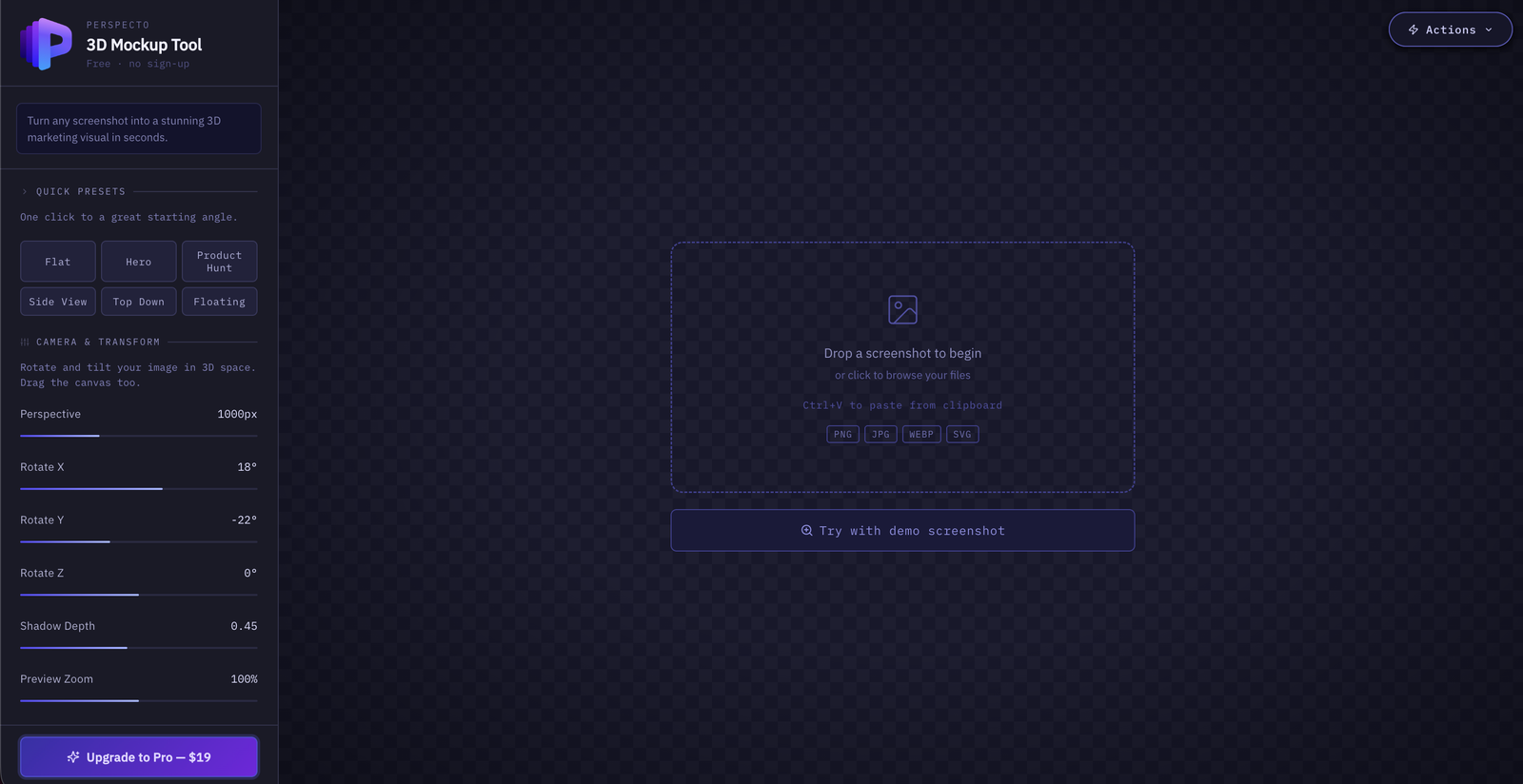
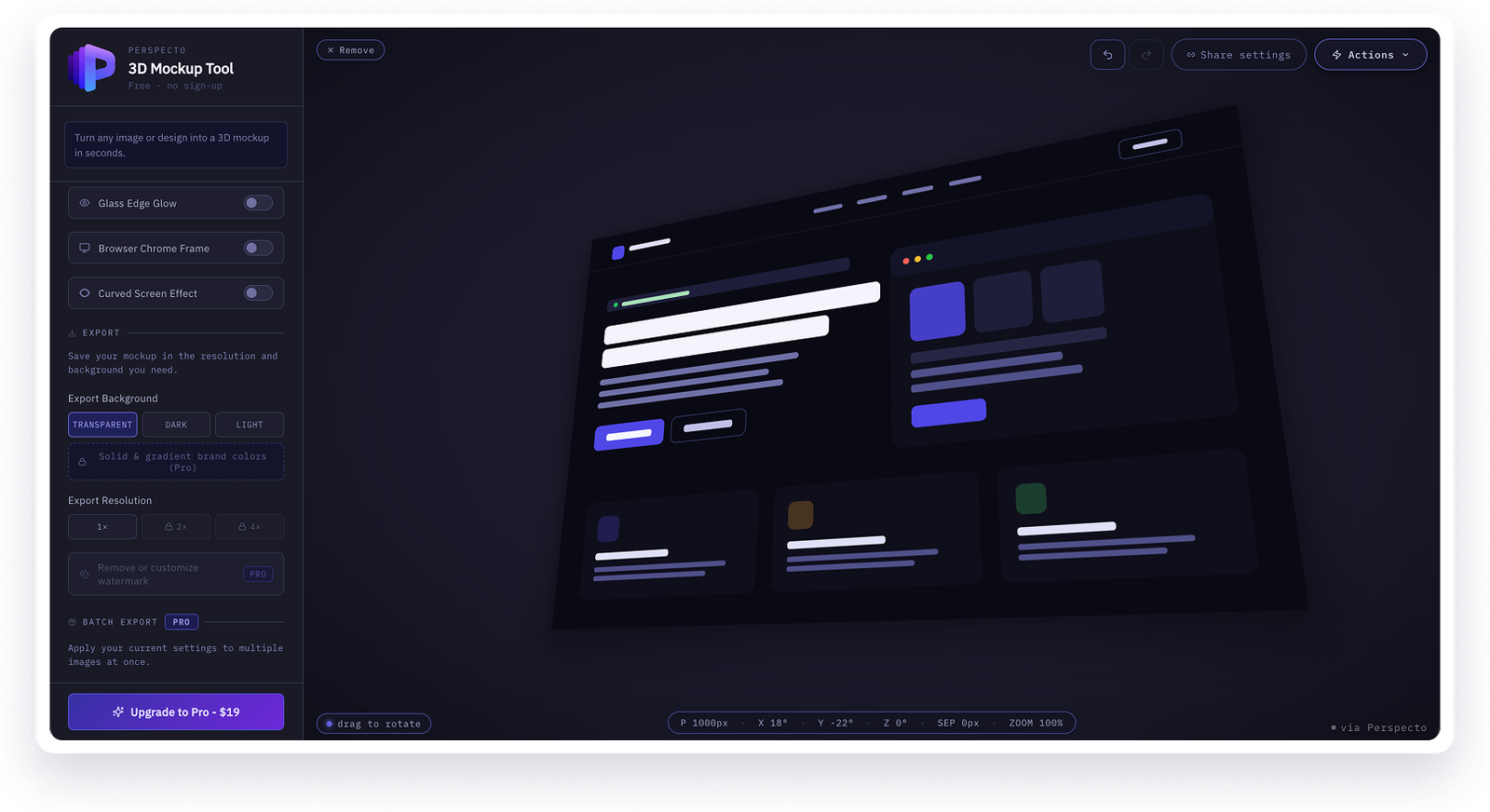
Perspecto turns any image or design into a 3D mockup directly in the browser. No sign-up, no Figma plugin, no design software required. I built it because I needed it myself, then kept shaping it around real feedback from people who were not me.
This case study covers the design decisions, the feedback loop with actual users, the freemium structure, and what it actually looked like to build a complete product as a designer working with AI rather than a dev team.
The Problem
I needed this for my own work.
As a UI/UX designer, I constantly need to present flat screenshots — app screens, dashboards, landing pages — in a way that feels more dimensional and presentation-ready. The usual options were not good enough:
- Open Figma, find or install a 3D mockup plugin, configure it, export
- Use a paid mockup service with templates that never quite matched what I needed
- Skip the polish and ship a flat screenshot anyway
None of these were fast enough for something I needed repeatedly and casually. I wanted to drop an image in and get a result in under a minute, without breaking my flow to set up a tool. That gap was the entire premise for Perspecto.
Audience
Broader than just me.
Once I started building, the audience turned out to be bigger than one designer's case studies:
UI/UX designers
Indie hackers and founders
SaaS landing pages
Mobile and App Store
Build-in-public on X and LinkedIn
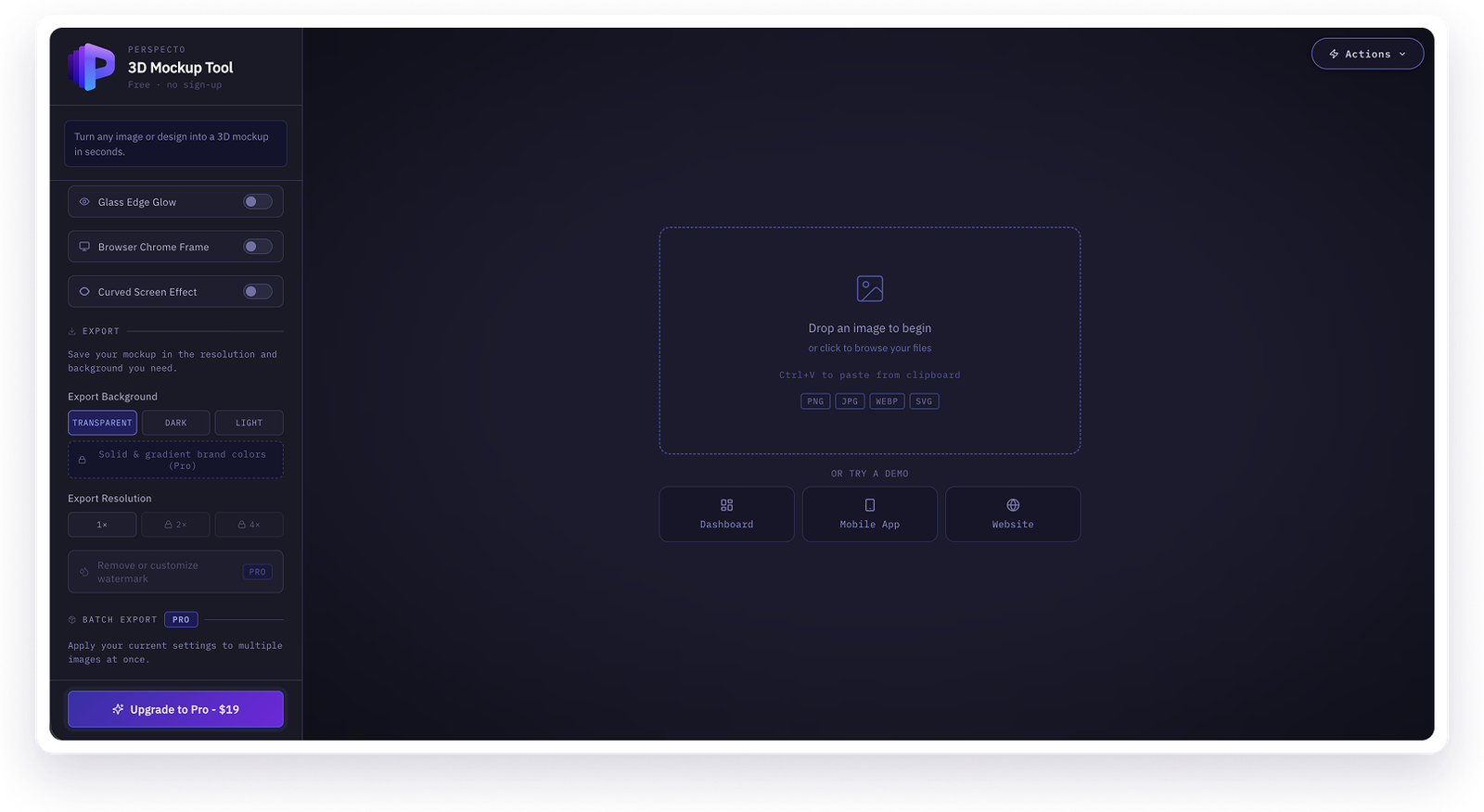
First-time visitors can try three different demo types before uploading their own image — Dashboard, Mobile App, and Website — so a visitor can try the tool against something close to their actual use case.
Design Decisions
The sidebar follows how people think, not how settings group.
The left sidebar is ordered the way a user actually moves through the task — not how a developer would naturally cluster the underlying settings:
A first-time visitor never scrolls past anything more complex than pick a preset. The depth is there once they need it.
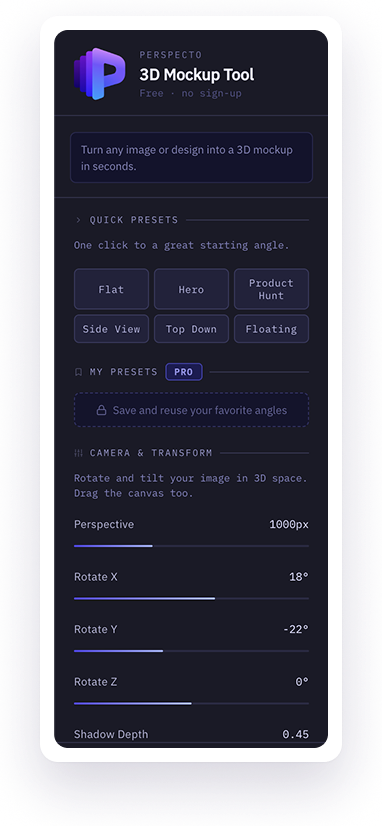
Sidebar — presets first, manual controls second
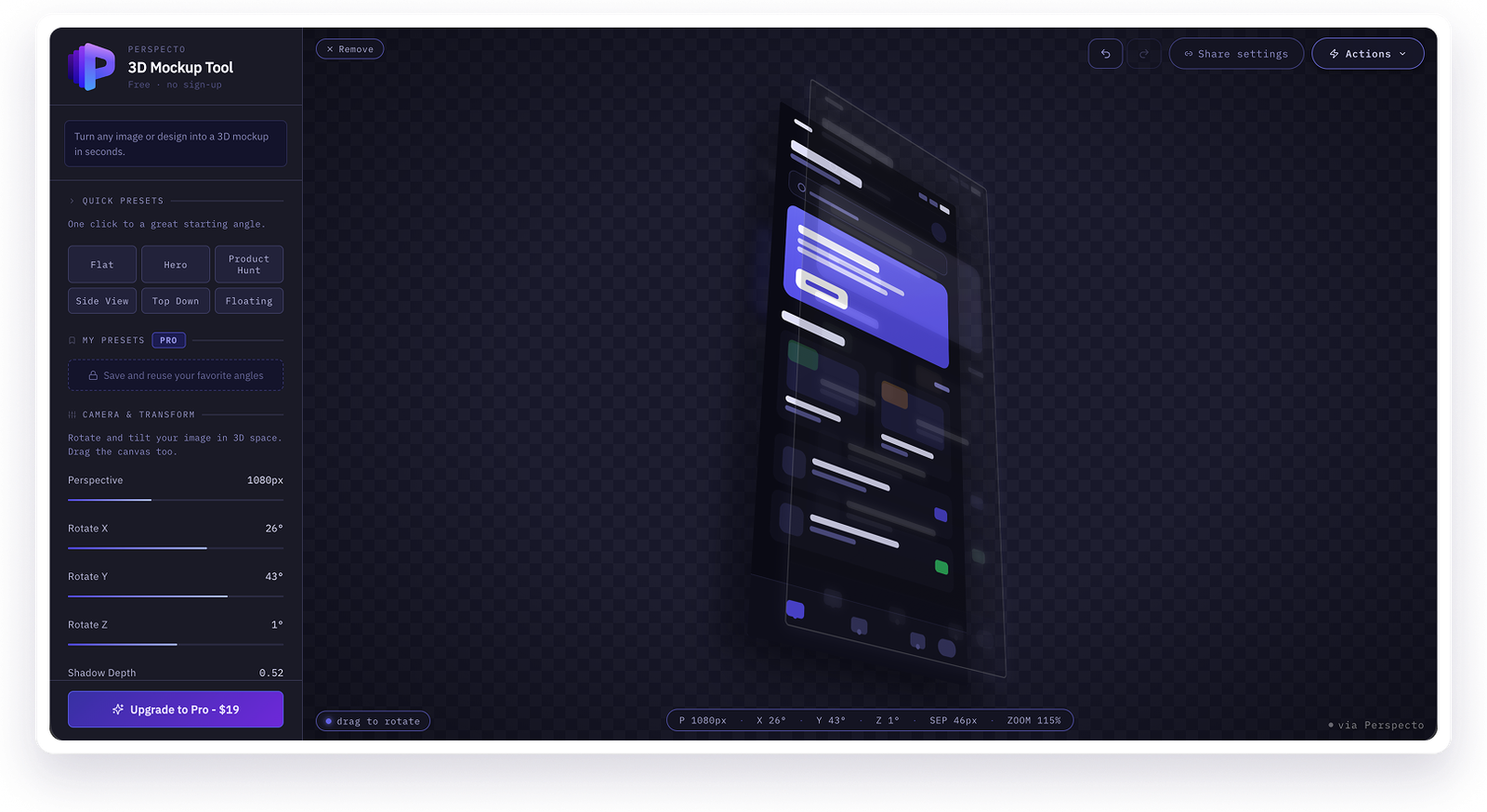
Preview — the product is the canvas, not the toolbar
Freemium Model
Free is genuine, not a teaser.
Free users get 5 exports at 1x resolution with a watermark — enough to genuinely evaluate the tool, not just enough to tease it. The $19 one-time Pro unlock follows one rule: anything that saves repeated time is Pro. The core single-image 3D experience stays free indefinitely.
Two things I avoided on purpose: no subscription (a one-time payment fits how occasionally most people will use this), and no AI-powered or credit-metered Pro features — nothing in the paid tier carries an ongoing cost that could force a future price change.
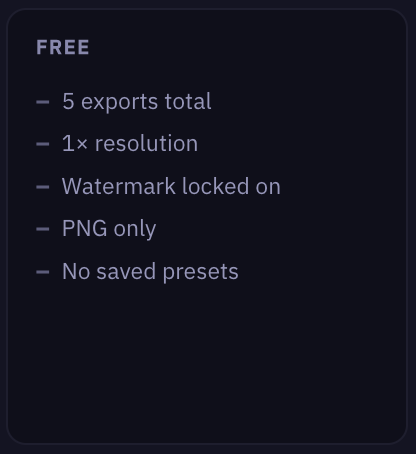
Free — watermark is the natural conversion trigger
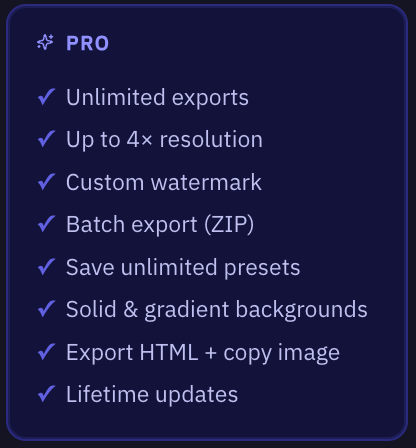
Pro — gradient backgrounds, higher resolution, no watermark
The Screenshot Wording Problem
One wording change, much wider audience.
The product was originally positioned entirely around "screenshots" — the tagline, the drop zone, even the page title. Someone thinking of a phone screenshot would not immediately connect that to using it for a Figma export or a product photo. I went through the entire product copy and rewrote the generic positioning language:
Turn your screenshots into 3D mockups
"Turn any image or design into a 3D mockup in seconds."
Rewrote the in-app tagline, drop zone, homepage meta tags, structured data, and FAQ — while deliberately leaving "screenshot" anywhere it was literally accurate, like App Store screenshot guidance.
Real User Feedback
The two features I'm most proud of were not my idea.
1
The curved screen effect
Someone trying the tool asked how it handled curved monitor mockups. A true curved render would mean rebuilding the renderer in WebGL. But the same person suggested a cheaper approximation — stack a perspective transform rather than rebuild anything. That single suggestion became a real shipped feature: a CSS-only curve using horizontal compression, an edge-darkening gradient, and a soft center highlight to fake the light catching a physical curve.
Three stacked visual tricks, not a true 3D curve. It reads convincingly, and it shipped in under a day because the scope stayed small.
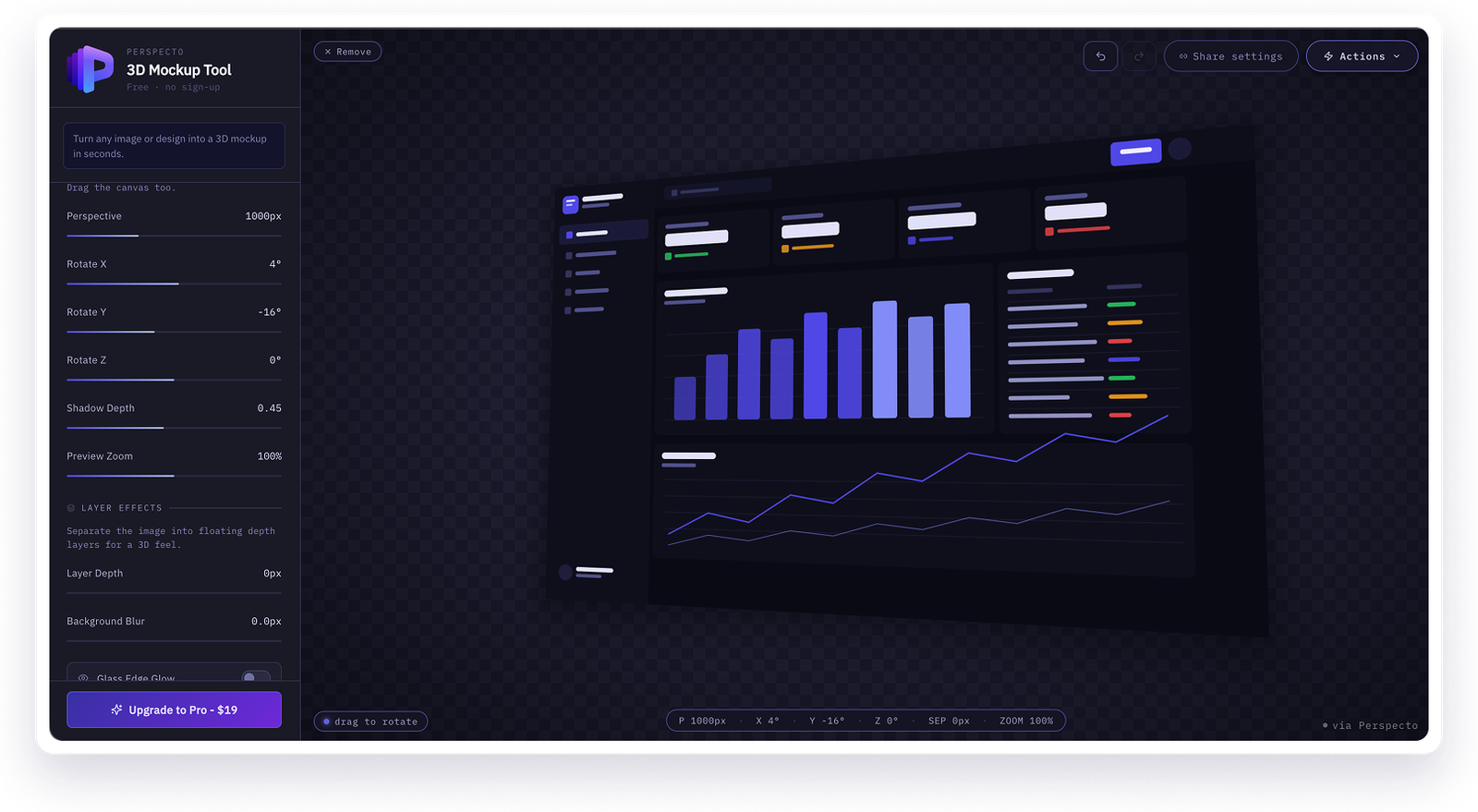
Before — flat angle
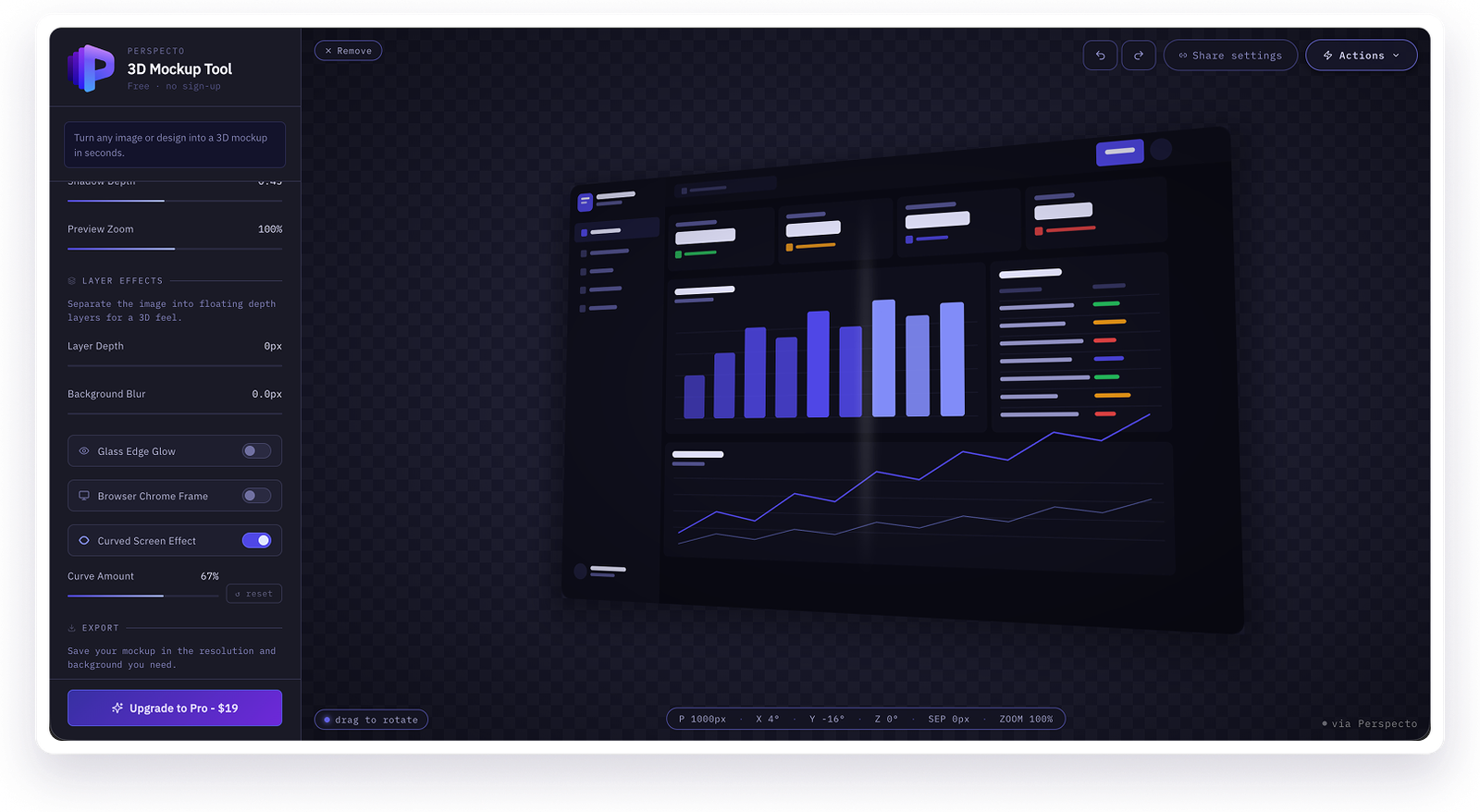
After — curved screen effect on
2
The reset and undo toggle
After shipping the curve effect, the same person came back with sharper feedback: it would help to compare the curved and uncurved versions side by side. My first pass just turned the effect off entirely — but that was not actually what they wanted. They wanted to compare intensity, not toggle the whole effect.
I rebuilt it as a small toggle that snaps the intensity back to a default and remembers the previous value, so clicking it again restores exactly where they were. Small interaction, only correct because I went back to the actual feedback instead of assuming I understood it the first time.
"AI builds your app" skips over this part entirely — and that's a little misleading for anyone expecting this to be one-shot.
Building It
What vibecoding actually looked like.
Perspecto was built by describing what I wanted in plain language to Claude (Sonnet 4.6) and iterating from there, rather than writing the implementation myself. The actual 3D effect — perspective, rotation, layered depth — came together fast, within the first session. What took real time was the unglamorous debugging:
- A background color picker that looked correct in the UI but silently did nothing — eventually traced to a type-conversion bug quietly turning a hex color into NaN before it ever reached the renderer
- A ghost border that kept appearing behind a button for no visible reason — eventually traced to a duplicate hidden element layered behind the real one
- Getting GitHub and Vercel to actually auto-deploy on push instead of requiring a manual promote to production every time
My role throughout was the same role I would play on any product: defining the problem, making the UX and visual calls, testing the result critically, and pushing back when something did not feel right — just translated into conversation instead of code.
Outcomes
What actually shipped.
- A live, functioning product at perspecto.io with a working freemium payment flow, analytics, and SEO infrastructure including dedicated landing pages for distinct audiences
- Two features shipped directly from real user feedback, within days of receiving it
- A full positioning language audit after recognizing a self-imposed limitation in how the product described itself
- A Pro tier that earns its price through genuinely useful features, not padding
What I would do differently.
- Build an examples gallery earlier — right now a first-time visitor has to try a demo or upload their own image to see the output, and real before/after examples would likely convert better
- Introduce undo/redo and the multi-demo picker earlier in the process, instead of after the core feature set
- Test wording and positioning from day one rather than retrofitting it after noticing the "screenshot" framing was too narrow
Reflection
This project changed how I think about design and building.
I did not write the code, but every meaningful decision in this product — what the free tier includes, how the sidebar is organized, which feedback to act on, what the Pro tier needs to justify its price, how the product describes itself — was a design decision I made and then directed into existence.
That is a different skill than coding, but it is not a lesser one. It is an increasingly real way designers can ship complete products without waiting on a dev team.
Try It
Perspecto is live and free
No sign-up. Drop in an image, pick an angle, export.